energy use, live
sorted by watts, every two seconds. each app's helpers are added up, the way activity monitor does it.
energycpumemorylive
- Xxcode62% cpu3.4 w
- Ssafari18% cpu1.1 w
- Mmusic4% cpu380 mw
a tiny menu bar app that keeps your macbook's battery young. it stops charging at the level you pick, waits out the heat, and shows you which app is eating the battery.
free for 7 days. then from $9.99 once, not a month.

what chargeguard does
set a limit like
 80%
once. chargeguard stops charging there, rests when it's
 hot,
and tells you
what's
 draining it.
start with a limit. turn the rest on when you need them.
stops charging anywhere from 20% to 100%. holds through sleep and restarts.

lets the charge rest between two levels instead of topping up every few minutes.
stops charging above 40 °C and waits until it cools. a replug won't sneak past it.

flying tomorrow? fills to 100% once, then goes back to your limit on its own.
runs on the battery while plugged in, down to the level you pick.

a guided full cycle for when the percentage starts looking off.
every app gets a number in watts. cap the heavy ones, pause them in the background, or quit them for good.
sorted by watts, every two seconds. each app's helpers are added up, the way activity monitor does it.
give a heavy app a budget in watts or cpu. it runs normally until it goes over, then slows just enough.
schedules run on their own. low power mode can switch on by itself when you unplug.
 limit to 80%every weekday at 9:00full chargefridays at 18:00low power modeon battery, below 30%
see the last 7 days of charge, power and temperature, minute by minute. it's saved on this mac only, never uploaded, and needs no account.
stored on this mac. nothing leaves it.
 classic
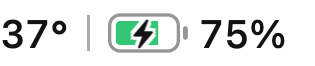 thermal
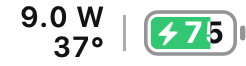 dashboard
one click from anywhere, in nine styles. the battery turns green while charging, blue at your limit and orange when it's too hot.
$ chargeguard status
$ chargeguard limit 80
$ chargeguard fullcharge 120
$ chargeguard discharge 60
a command-line tool for status, limits, full charge and discharge. scriptable, of course.
shortcuts & links
chargeguard://limit/80chargeguard://fullchargechargeguard://discharge?target=60a link for every action, so a shortcut or a script can change your limit for you.
every feature and every update, for as many macs as you pick. no subscription, no account.

for your macbook.
$9.99 once
buy for 1 mac
your laptop, a work mac and one more.
$14.99 once
buy for 3 macs
for the whole household.
$19.99 once
buy for 5 macstry it free for 7 days first, no card needed. prices are before tax. pay with any card. your key shows up the moment you pay and arrives by email. refunds within 30 days.
you plug in and get on with your day. this is what chargeguard does while you're not looking.
plugged in at your desk. holding at 80%.41° in the sun. charging paused till it cools. off the charger. xcode capped at 2 w.below 30%. low power mode on.plugged in overnight. resting at 75–80%.
a normal mac app, signed and notarized by apple. it offers to move itself to applications.
downloadit lives in the menu bar, next to wi-fi. click it and the popover opens.
open charge limit and choose a number. 80% is a good place to start.
70%80%90%that's it. the limit holds through sleep, restarts and replugs.
holding at 80%
stuck on something else? write to support.
batteries wear fastest when they sit at 100% and run hot. holding a lower ceiling, and pausing when it's hot, keeps yours out of both. it's the same idea as macos's optimized charging, but you choose the number and it holds all the time.
yes. chargeguard uses the same charge-limit mechanism macos uses for optimized charging. lower limits use a small helper that talks to the battery controller, and it always lets the adapter charge again on sleep, on quit, and if the app stops responding.
chargeguard lets go of every limit so your mac charges normally, and keeps showing battery info. enter a license key and your settings come straight back.
only for the optional extras: limits below 80%, discharging while plugged in, and low power mode automation. they use a helper you install once and can remove from settings.
no. chargeguard is signed with a developer id and notarized by apple, so it opens like any other app. the setup guide walks through the first launch.
each license covers the number of macs you picked. to move it, open chargeguard → license on the old mac and click deactivate, or remove the old mac from the new one.
it's in your receipt email. can't find it? write to support from the email you paid with and we'll send it again.
only what licensing and updates need: your license key, a random-looking id derived from your mac (not its serial number), the mac's name for your device list, and the app version. no analytics, no tracking.
no. chargeguard is built for apple silicon macbooks running macos 14 or later.
yes, within 30 days. write to us and we refund the payment in full. refunded keys stop working.
it could be holding your limit in a minute.
free for 7 days.